When debugging IIS and taking a while to look at your code, you may sometimes get this message

To fix this simply switch off the ping enabled setting in your IIS, application pool, advanced settings

When debugging IIS and taking a while to look at your code, you may sometimes get this message
To fix this simply switch off the ping enabled setting in your IIS, application pool, advanced settings
Perhaps the most wrongly named application I've had to remember the name of recently, used for monitoring .NET application performance...
Example...
Add this to your controls namespace declarations
xmlns:MyNameSpace="clr-namespace:MyNameSpace;assembly=MyAssembly"
then use it as follows in your markup
ToolTipService.ShowDuration="{x:Static MyNameSpace:MyClass.MY_CONSTANT}"
select 'ALTER TABLE ' + o.name + ' ENABLE TRIGGER ' + s.name
from sys.objects o
inner join sys.triggers s on s.parent_id = o.object_id
and s.is_disabled = 1
DBCC SHOWCONTIG ("dbo.TableName") - Check your Scan Density...
DBCC SHOWCONTIG scanning TableName table...
Table: TableName (2099048); index ID: 1, database ID: 5
TABLE level scan performed.
- Pages Scanned................................: 74056
- Extents Scanned..............................: 9259
- Extent Switches..............................: 9258
- Avg. Pages per Extent........................: 8.0
- Scan Density [Best Count:Actual Count].......: 99.98% [9257:9259]
- Logical Scan Fragmentation ..................: 0.01%
- Extent Scan Fragmentation ...................: 1.57%
- Avg. Bytes Free per Page.....................: 45.7
- Avg. Page Density (full).....................: 99.44%
DBCC execution completed. If DBCC printed error messages, contact your system administrator.
Then rebuld if you need
DBCC DBREINDEX ("dbo.TableName")
If you ever have a Microsoft Word document that you want the merged version of, but are unable to do this as there is a password set on the document preventing you from accepting all changes, then simply email the document as an attachment to your Google mail (Gmail) account, and view it online. From there you will see Google does the merging for you and you are then able to export off a new version in word document format, with all the changes accepted.
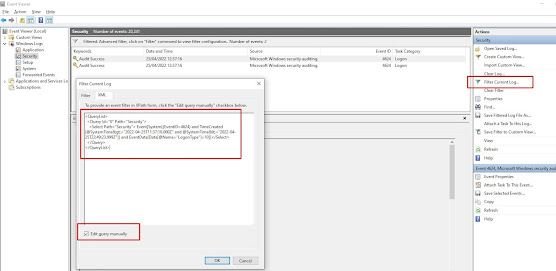
Use the following powershell script to find the last users to login to a box since a given date, in this case the 21st April 2022 at 12pm un...